post: | EyeTV & GeekTool » Show Scheduled Recordings | mod: |
05.Jun.09 | 03.May.11 |
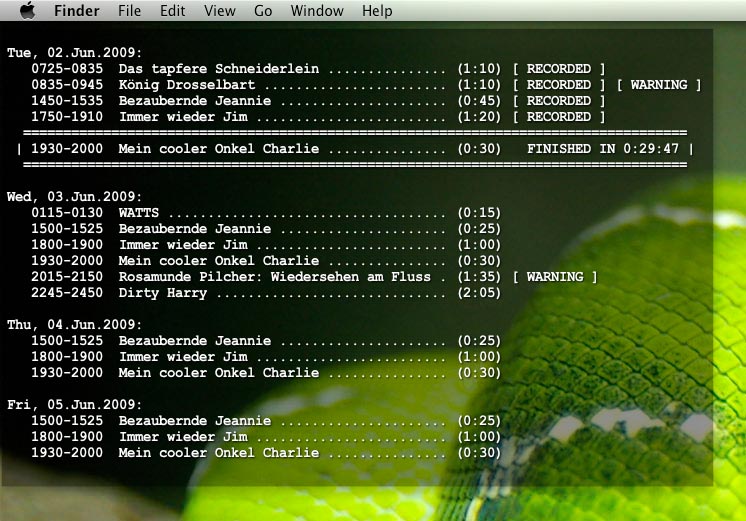
Ever since my new computer arrived, I’ve been using EyeTVs recording feature rather extensively. I’ve got so many scheduled recordings, that I started to lose track. That’s why I wrote this little script, to be used with GeekTool. This is what it looks like now:
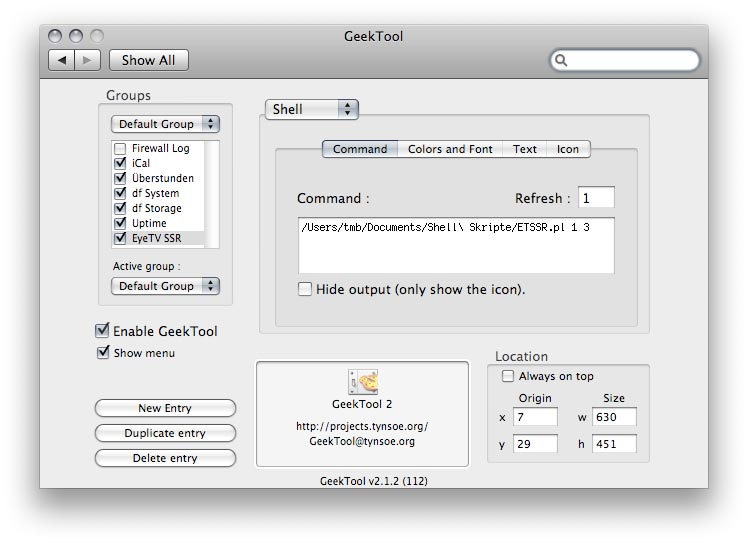
With two parameters – “days prior” and “days in the future” to be shown – the setup is easy:
Have fun and let me know what you think!
Nutzt Du EyeTV auch?
oh, und: die warnung kommt ja mal nicht wegen uncoolness, sondern weil es zeitlich überlappt (jaja, ich hab den sourcecode angeguckt, alles ausreden!) – sonst aber ein sehr cooles skript!
haha ok, gerade noch so von der schippe gesprungen 🙂
Hehe, hab mich schon gefragt, wer zuerst nachfragen wird 😉 Hier die Ausrede: beim EyeTV kann man Filter für »conditional recordings« setzen. Einer davon ist bei mir, dass er alle ORF-Spielfilm-Premieren aufnimmt. Naja, ist nicht immer mein Geschmack, aber oft paßt es und die Entfernen-Taste ist nicht so weit 😉
Abgesehen davon hat das Skript ja schon von allein eine WARNUNG ausgesprochen 🙂
Du nimmst Rosamunde Pilcher auf??